Extract your Takeout export.
Unzip your Google Photos archives first. Select the extracted folder with its photos, videos and JSON files.
Takeout Check
Check Google Photos filenames and JSON dates in your browser. Find what matches and what needs a closer look.
Local by design. Files stay on your device.
Read-only checks. No account required.
Free to use.
Unzip your Google Photos archives first. Select the extracted folder with its photos, videos and JSON files.
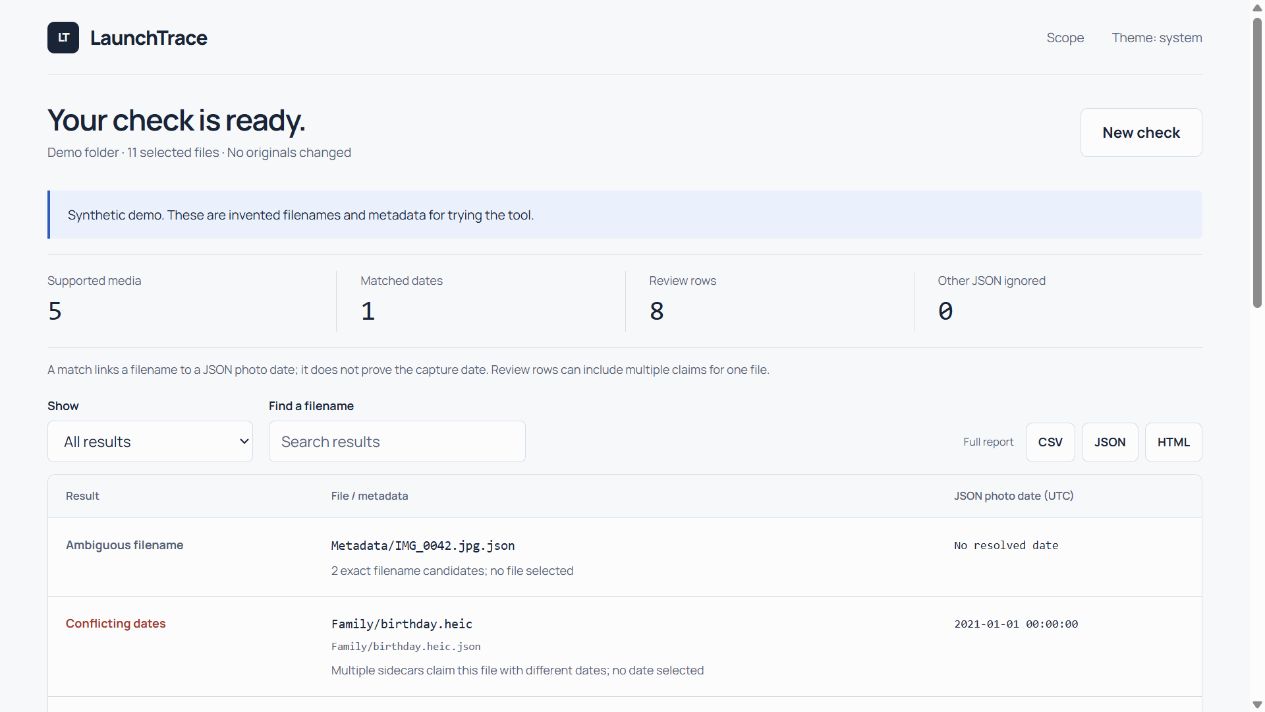
Check filename matches against JSON photo timestamps. Missing sidecars, ambiguous filenames and conflicting dates stay visible for review.
Search and filter the results, then save a full HTML, CSV or JSON report. Your original files remain untouched.
This is a date-matching check, not a repair tool. A missing sidecar does not mean a photo is damaged.
Supported media filenames and JSON photoTakenTime timestamps. Photo and video contents are not read. No files are uploaded by the tool.
It does not inspect EXIF, prove a capture date, recover a local timezone or certify export completeness. Dates are shown in UTC. Do not delete your cloud library based on this report.
Up to 50,000 selected files and 128 MiB of JSON per check. Individual JSON files over 1 MiB are reported without reading. Hidden files, inaccessible files and links may not be exposed by your browser. Use a desktop browser and try smaller folders first.
If you need metadata repair, free tools such as ExifTool and GoogleTakeoutFixer may help. Keep backups and review their instructions. LaunchTrace does not repair files in this release; independent real-export trials are still pending.
The Windows version runs locally too. Download it, extract the ZIP and run the included application.
Windows downloadWindows x64. Unsigned prototype: never bypass a security warning to run it. The browser checker needs no installation.
Tell us what you could understand, what stayed unclear and what you still had to do by hand.
Send feedbackPlease leave out photos, filenames and private details.